As media plans become more complex and involve more stakeholders, two problems appear quickly
😒 too much scrolling
😶🌫️ too many notifications sent to people who do not need them
These updates were built to reduce friction in client reviews, keep communication relevant, and make large media plans easier to understand and navigate. This is the difference between a media planning tool that only builds a plan and a media planning tool that updates automatically.
These updates were built to reduce friction in client reviews, keep communication relevant, and make large media plans easier to understand and navigate. This is the difference between a media planning tool that only builds a static plan and a modern media planning platform that connects your budget directly with real-time market insights and updates automatically.
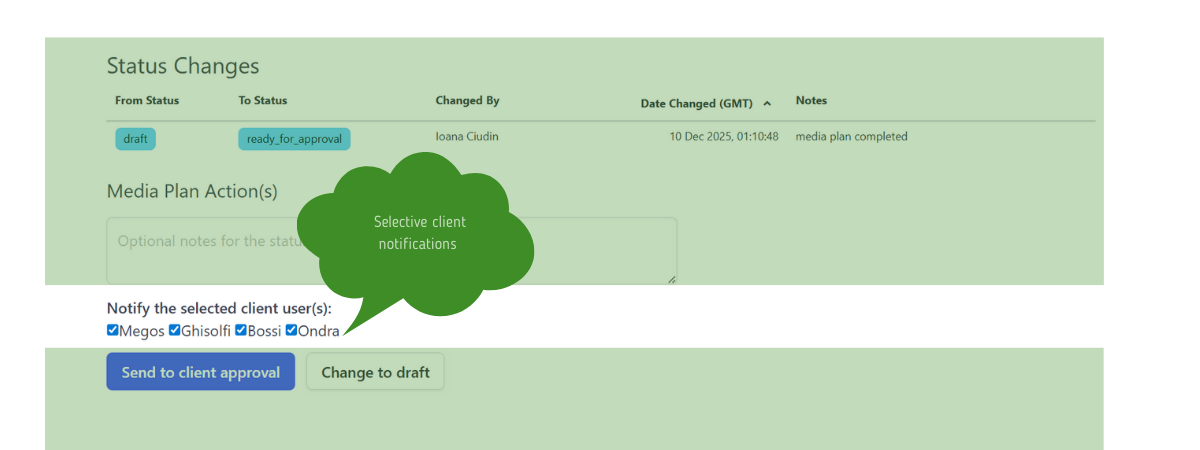
🪄 Selective client notifications
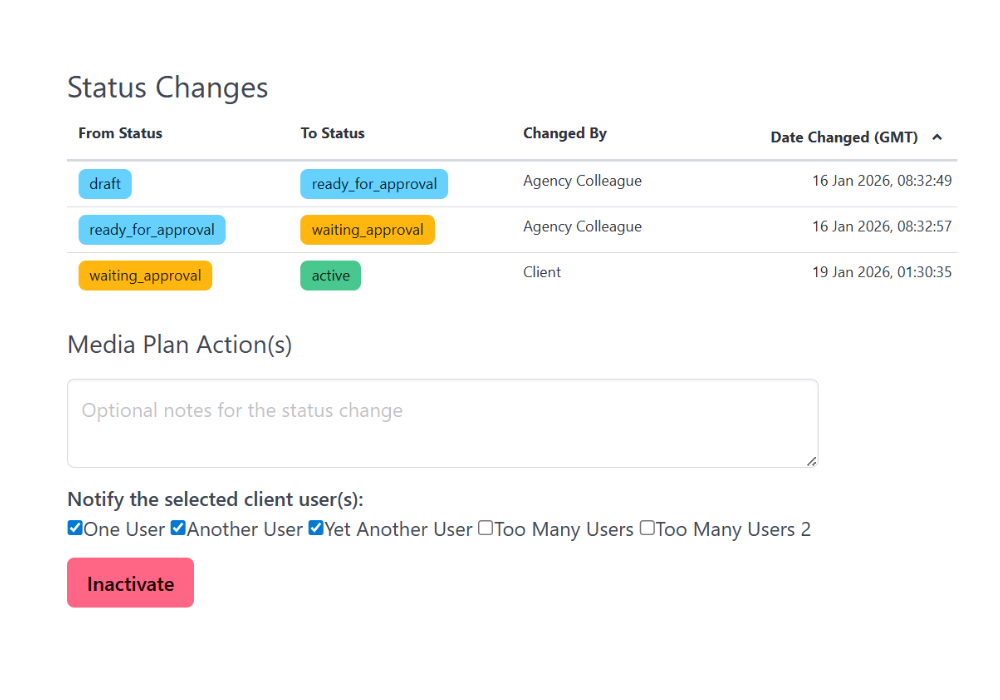
In digital media planning tools, approvals are also communication. When performing actions on a media plan such as sending it for approval or auto approving it, you can now choose which client users are notified. This keeps your media planning tool aligned with who actually needs to act, not just who has access.
By default, all users are selected, but you can easily deselect specific users before confirming the action.
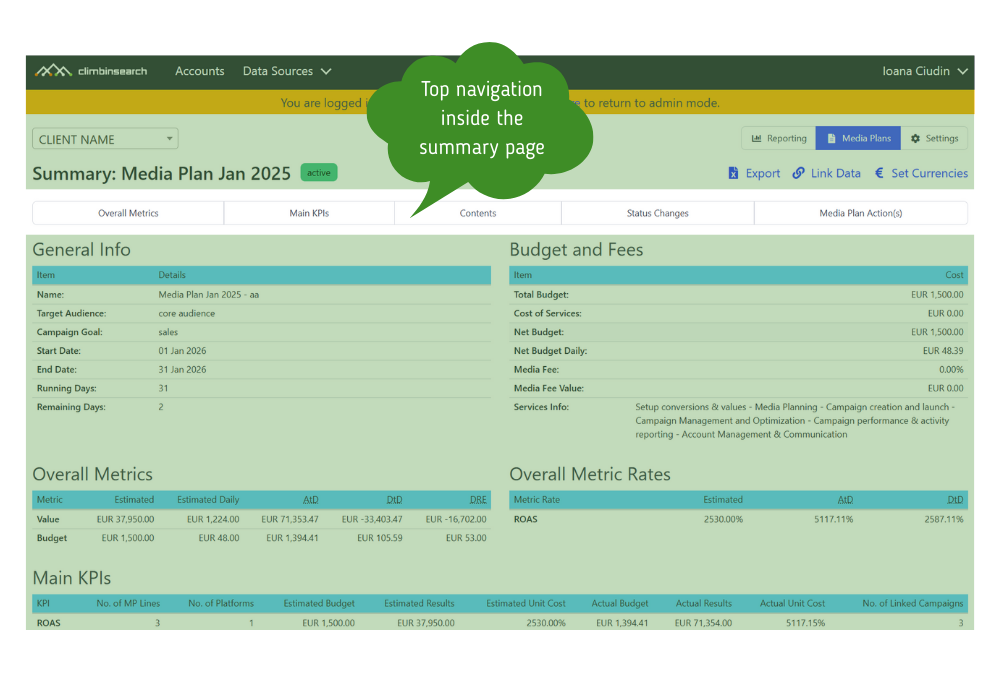
⛷️ Top navigation inside the Media Plan Summary
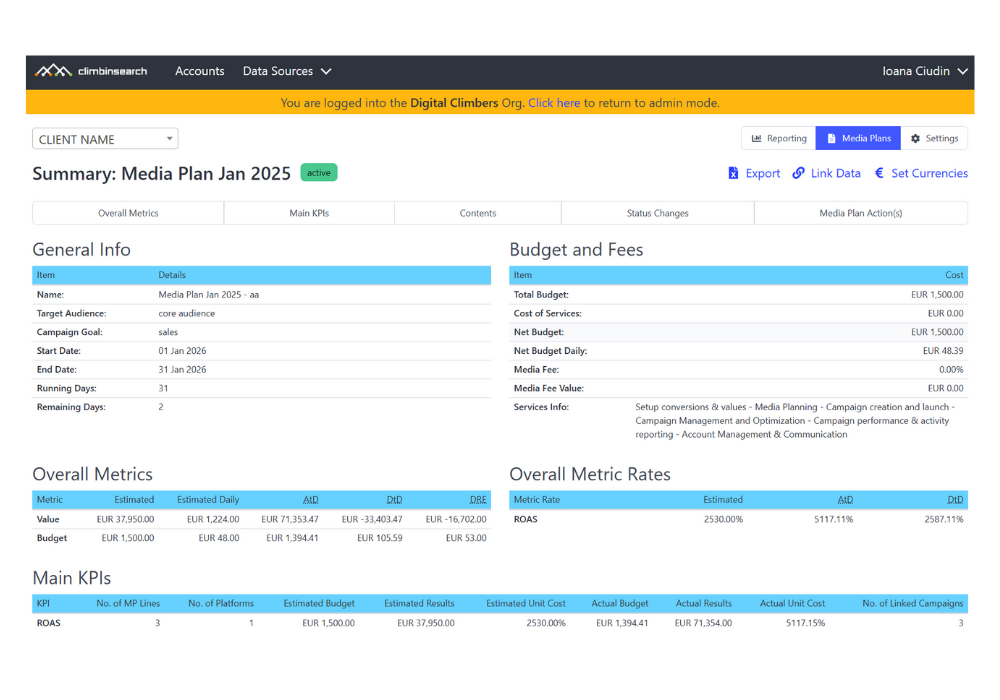
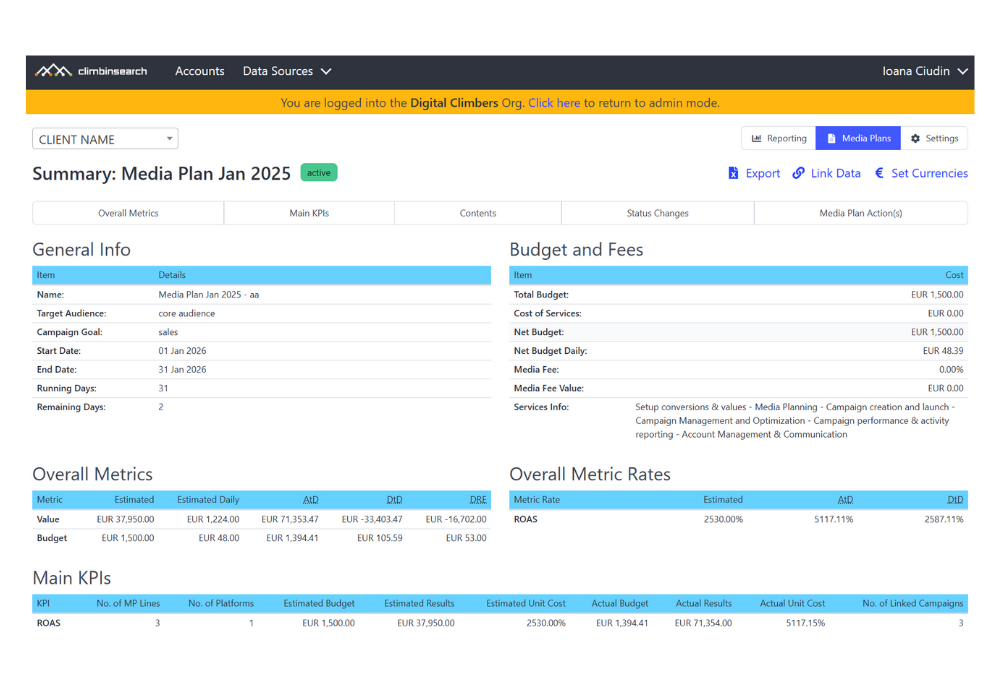
A new navigation bar at the top of the summary page allows jumping between sections like Overall Metrics, Main KPIs, Contents, and Status Changes. This is especially useful for media plans with many line items. This is a core usability upgrade for our digital media planning tool used on large media plans.
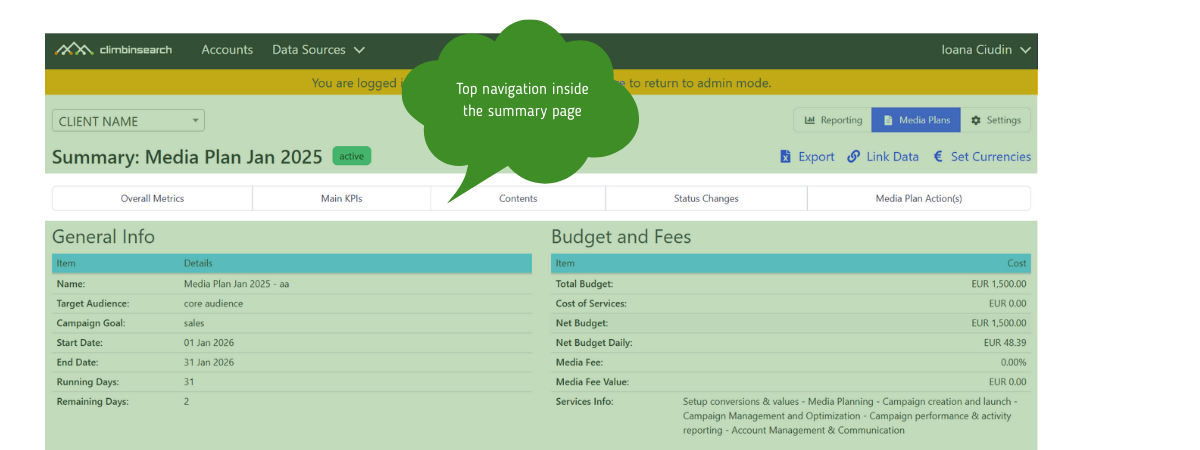
😎 More compact Media Plan Summary layout
Spacing and layout have been adjusted to make the summary easier to scan. Core sections like General Info and Budget and Fees are now easier to compare at a glance. We believe a platform should simplify your marketing reporting workflows and make the plan readable without exporting it.
🔮 Reworked status changes view
Status changes are now displayed in a structured table, making approval history clearer and easier to follow while using less screen space. This turns the media planning tool into an approval record, not just a planning interface.
It also makes the Media Plan Summary work as an approval audit trail, not just a plan view.
When you take an action on a media plan, the action panel now includes a list of client users.
You can select or deselect users before confirming the action.
Only the selected users will receive a notification. This is built into the media planning tool workflow, so no manual communication steps are required.
The top navigation stays visible as you scroll and allows instant access to any major section.
Status changes are logged automatically and displayed chronologically in a table view.
No changes are required in existing workflows. All updates are applied automatically.
Account managers working with multiple client stakeholders.
Performance and media teams managing large or complex media plans.
Clients who need clear visibility into media plan structure and approval history.
Teams that want better control over communication inside the Media Planning Tool.
Anyone who needs a media planning tool that supports approvals, visibility, and accountability during execution.
Sending a media plan for approval only to decision makers
Auto approving internal changes without notifying all client users
Reviewing large media plans faster using section navigation
Tracking approval history across multiple plan iterations
All client users are selected by default when triggering an action.
If no changes are made to the selection, notifications will be sent to all users.
Status changes always remain visible in the summary for transparency and auditability.
These controls apply inside the media planning tool, so client communication remains consistent across plan iterations.
These updates lay the groundwork for more scalable media planning workflows.
Clearer approval flows across complex client structures
Better audit trails for approvals and changes
Faster reviews for large and multi line media plans
More granular control over client communication as teams and accounts grow
The Media Planning Tool is evolving into an operational control layer for media execution and approvals.