FOR PERFORMANCE MARKETING AGENCIES

Planned vs Achieved is the baseline that gives you control

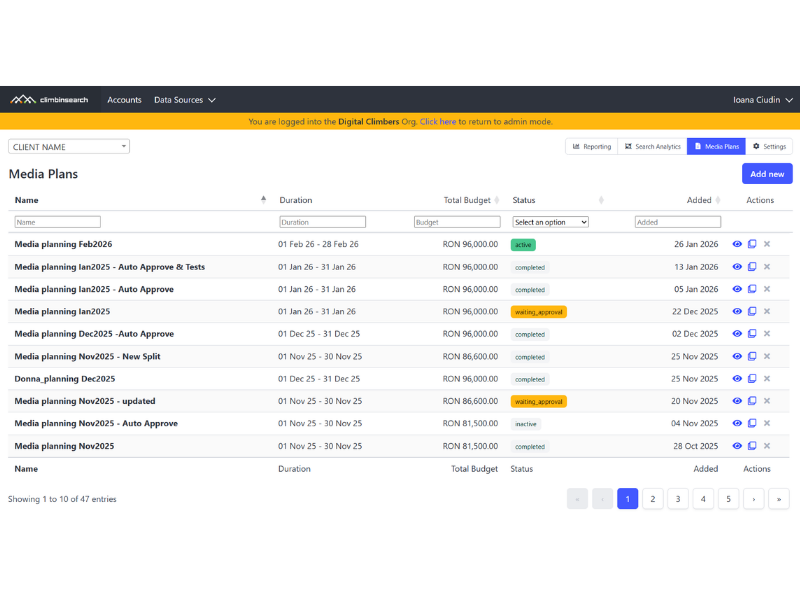
You should not have to guess if your campaigns are on track. Most agencies build media plans. Budgets, channels, targets. Everything looks clear.

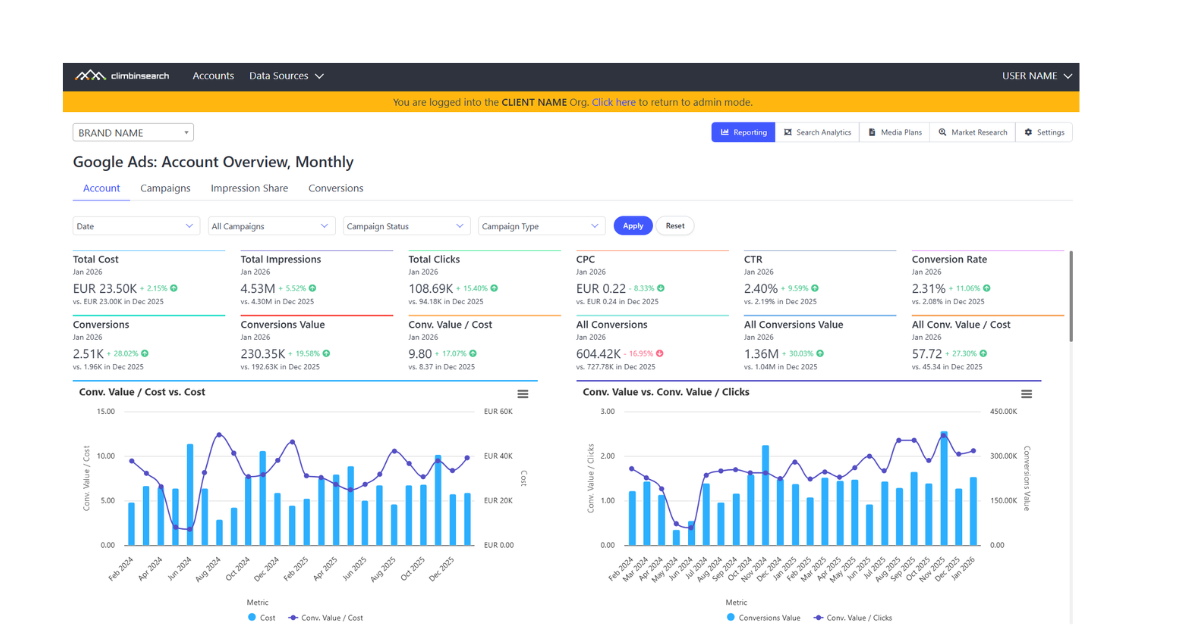
But once campaigns go live, that plan disappears. You move into dashboards. You see results.

But you do not clearly see if you are on track.

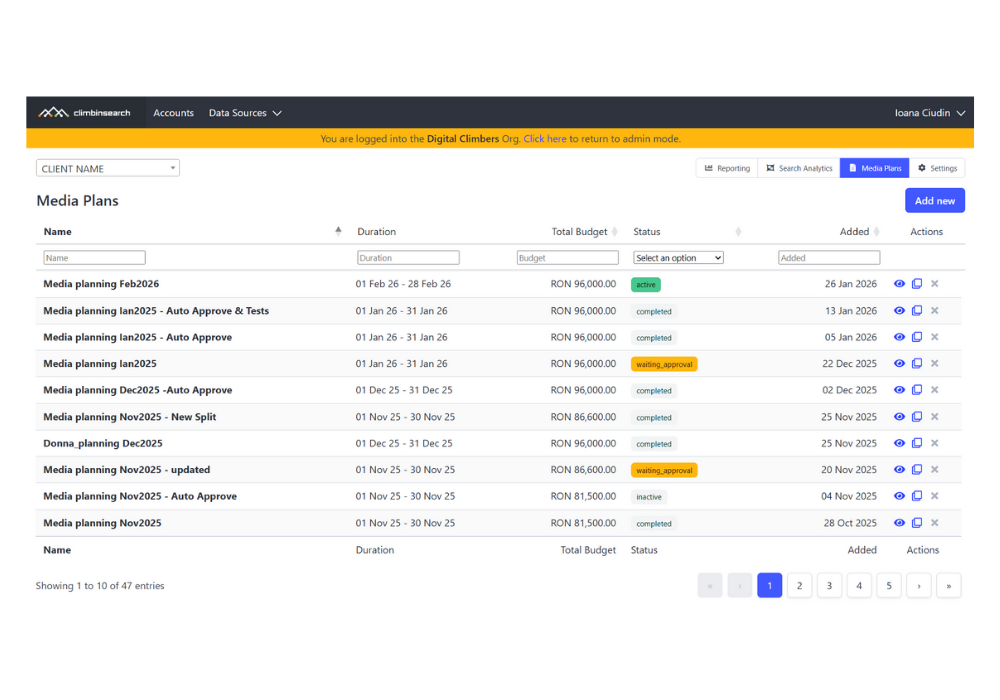
ClimbinSearch connects your media plan with real campaign data and shows Planned vs Achieved while campaigns are running. So you can act, not just report.
Works automatically with Google Ads and Meta. Other channels can be added manually.
So performance is managed after the fact, not while campaigns are running.
How it works

From plan to control in 4 steps

You do not need more dashboards.

You need a simple way to connect what you planned with what is actually happening.

This is how ClimbinSearch works in practice.

1. Create the Plan

Define your campaign structure, budgets, and expected results. This becomes your reference point.

2. Connect to Campaigns

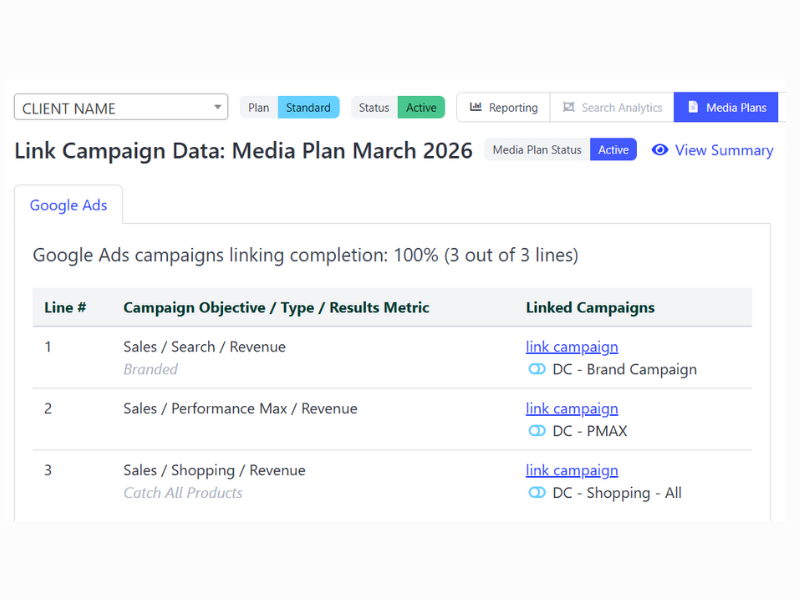
Link your Google Ads and Meta campaigns. The system pulls real performance data automatically.

3. Track Planned vs Achieved

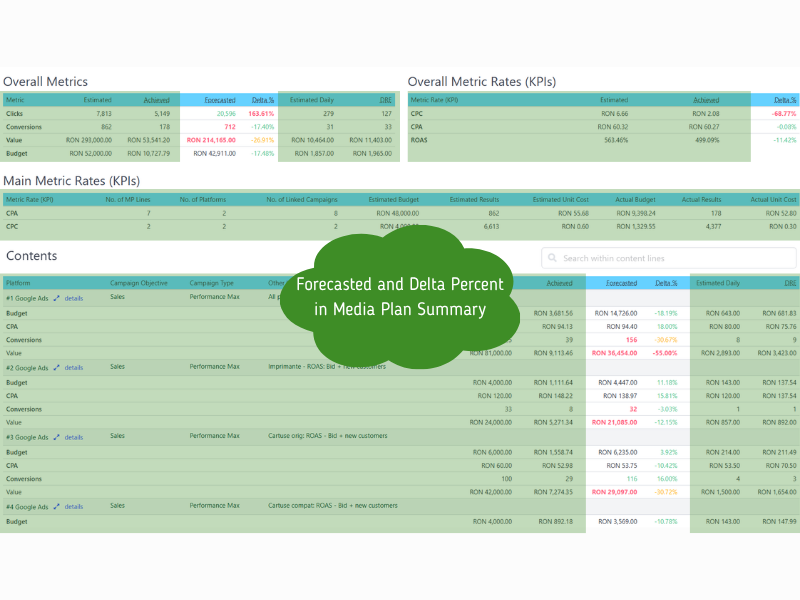
See how your campaigns perform against the plan. Updated daily, not at the end of the month.

4. Act on deviations

Spot where performance is off. Adjust budgets, fix issues, or trigger actions before it is too late.

This is where planning becomes control.

Planned vs Achieved shows you what is happening.
Planning tells you what should happen.
Book a walkthrough
PLANNED VS ACHIEVED

This is how you read your campaigns

Instead of checking multiple dashboards, you see everything in one place:

Planned: What you expected to happen
Achieved: What is actually happening
Forecast: Where performance is heading
Delta: The difference between plan and reality

A simple view of whether you are on track or not.

COLOR LOGIC
🍏Green: On track
🍊Orange: Needs attention
🍒Red: Needs action

You do not need to interpret dashboards. You immediately see where to act.
media plan summary in Climbinsearch
ACTION LAYER

Control is not just visibility, it is action.

Seeing where you are off is one step. Acting on it is what makes the difference.

For our agency partners, ClimbinSearch turns deviations into actions.

This is how control becomes execution inside your team.

1. Tasks created from deviations

When performance is off, actions are created automatically. No need to manually check and assign work. The system can highlight what needs attention.

2. Assigned to the right people

Use built-in approval flows with clear status changes. Keep everyone aligned without spreadsheets or emails.

3. Connected to your workflow

Tasks can be pushed into your existing PM tools. So execution happens where your team already works. Not in another dashboard.
EXTENSIONS

Extend the system beyond execution

Extend the same operating layer with addons:
Workflow automation
Automate repetitive work across your team. Tasks are created when deviations appear and alerts keep everyone aligned without manual follow ups.
Market insights
Understand demand, trends, and competitor visibility through search data. Delivered as dashboards and structured insights sessions.
Market Research LaSportiva

Let’s see if this fits your agency

If you want a clearer way to understand and control your campaigns while they are running, this will make sense quickly.We look at your setup.
We show how this applies to your campaigns.
We identify where you gain control and speed.No generic demo. Just your setup.
Book a walkthrough

Frequently Asked Questions

ClimbinSearch helps performance agencies connect planning with real campaign performance, so Planned vs Achieved becomes visible while campaigns are running.

These are the questions agency teams usually ask when they want more control, less manual follow up, and a clearer way to manage delivery.

Still have questions?

Show us how your team currently handles planning, reporting, and campaign monitoring, and we will show you how ClimbinSearch could fit your workflow.
Book a walkthrough
Is this just a media planning tool?

No. It connects planning with real performance and turns it into a control layer.

How is this different from dashboards?

Dashboards show results. This shows performance vs plan and helps you act.

Do we need to change how we work?

No. ClimbinSearch sits on top of your current setup and adds structure across planning, reporting, and execution.

Does it work with our tools?

Yes. Google Ads and Meta are integrated. Other channels can be added manually, and workflows can connect to your PM tools.

Is this self serve or partnership?

Both. But it works best as a partnership.

What happens in a walkthrough?

We look at your setup, show how Planned vs Achieved would work in your case, and identify where you can gain more control and reduce manual work.